
Shared Wi-Fi is not your office
The network owner becomes part of the workflow
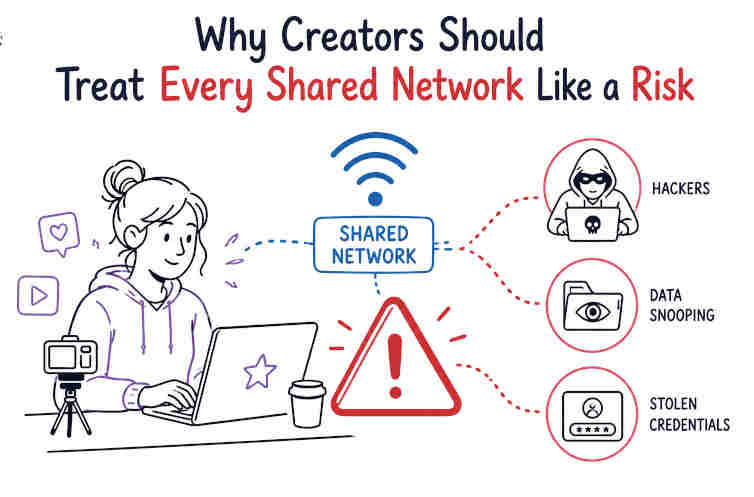
Creators tend to work wherever the laptop opens: cafes, coworking spaces, hotels, airports, rented flats, event halls, a friend's spare desk. That flexibility is great until the network becomes part of the publishing stack. A shared Wi-Fi network can see connection patterns, push login portals, block services, and sometimes imitate the name of a real hotspot closely enough to fool tired people. Modern HTTPS helps a lot.
The FTC says most websites now encrypt traffic, which makes public Wi-Fi usually safer than it was years ago. Still, creators do not only read websites. They log in to WordPress, upload sponsored assets, approve payments, open analytics dashboards, move client files, and answer account recovery emails. That is a wider blast radius. So treat shared Wi-Fi as temporary and untrusted, even when it has a password printed on a cute little sign by the counter.
Admin panels are the wrong place to be casual
A blog admin panel, store dashboard, newsletter account, or social scheduling tool is more valuable than it looks. It can publish links, change payment pages, export subscribers, or quietly damage a brand that took years to build. On shared networks, avoid logging into admin tools unless the site shows HTTPS, the browser shows no certificate warning, and the machine is current.
For higher-stakes work, use mobile data or a protected connection. A creator who edits from Windows may prefer keeping one small tool ready for travel days and public hotspots, not as a magic privacy cloak, but as one layer when the local network is not worth trusting. Also separate admin accounts from casual browsing accounts. The browser profile used for extensions, experiments, and random tools should not be the same one that holds client dashboards and payment logins.
Browser privacy tools have limits
Private mode does not make a network private
Private browsing is useful for keeping local history, cookies, and form entries from sticking around after a session. It does not make the network vanish. It does not hide you from a website you log into, your employer's managed tools, or every layer between your device and the service.
This misunderstanding is common because browser labels sound stronger than they are. For creators, the better habit is to split work by profile. Keep one browser profile for publishing, payments, client email, and analytics. Keep another for research, testing plugins, AI tools, free templates, and odd downloads. That separation reduces cookie confusion and limits what extensions can touch. It also makes cleanup easier. If a sketchy extension lands in the research profile, it should not automatically sit beside the credentials for a site that earns money.
Extensions deserve suspicion by default
Creators love browser extensions because they save time. Screenshot tools, SEO bars, grammar helpers, coupon testers, social schedulers, color pickers, download helpers - the list grows fast. The problem is permission creep. Many extensions can read or change data on websites, and that can include drafts, private dashboards, or customer information depending on where they run.
Review installed extensions every few weeks. Remove anything unused. Check whether a familiar extension changed owners, started asking for broader permissions, or became weirdly noisy. Use the smallest set possible in the work browser profile. This sounds strict, maybe annoying. Good. Annoyance is better than discovering a tool had access to every page where you were logged in. Browser privacy is not one switch. It is a little garden of permissions, and neglected gardens get ugly quickly.
Account recovery is where creators get hurt
Your email account is the master key
For creators, email is not just communication. It is the password reset channel for hosting, domain registrars, ad accounts, brand deals, analytics, social profiles, newsletters, and payment processors. If that inbox falls, the attacker may not need to break anything else. They can ask politely for resets and let the systems do the work. Use a unique password for email and turn on multi-factor authentication. An authenticator app or hardware key is better than relying only on a password.
Recovery email addresses and phone numbers should be current, but not scattered across old accounts you barely control. Also check forwarding rules. Attackers sometimes add a hidden forwarding address after getting in, then keep reading new messages after the password changes. It is nasty because everything looks fixed while the leak continues in the background.
Shared devices are a bad bargain
Borrowed laptops and public computers feel convenient when a deadline is burning. They are also terrible places to open creator accounts. You do not know what extensions are installed, whether the machine records input, who used it before you, or whether the browser is saving sessions. If there is no choice, use only low-risk accounts, avoid payment or admin tools, and sign out fully.
Then change important passwords later from a trusted device. Better yet, carry a small travel routine: your own laptop, updated browser, password manager, multi-factor codes backed up safely, and a plan for internet access when public Wi-Fi feels wrong. Creators already think about camera batteries, chargers, posting windows, and file backups. Account access deserves the same boring checklist energy. It is not glamorous content-creator stuff. It is what keeps the content pipeline from collapsing.
Make remote work less fragile
Separate client data from casual files
Creators often mix personal downloads, client assets, invoices, drafts, contracts, screenshots, and random research in the same folders. That mess becomes a security problem when a device is lost, synced to the wrong place, or shared during a screen recording. Keep client material in named folders with limited sharing. Remove public share links when a project ends. Use cloud permissions that give collaborators only what they need. If a folder is for review, do not leave edit access open forever.
For sensitive files, full-disk encryption on a laptop helps if the device disappears. The FTC recommends full-disk encryption for remote laptops that may hold sensitive information. That advice fits creators too. A creator's sensitive information may be a sponsor contract, an unpublished product page, customer data, or access notes for someone else's website.
Have a cleanup ritual after travel
After a trip, do a small security reset before jumping back into normal work. Forget hotel and airport Wi-Fi networks so the laptop does not auto-join them later. Review browser permissions granted during the trip. Remove temporary apps used for a conference, printer, camera, or local file transfer. Check login alerts for email, hosting, and major social accounts. Revoke sessions you do not recognize.
Update the machine if updates were paused. This routine takes ten minutes when nothing is wrong, which is exactly the point. Creators spend so much time improving reach, rankings, and workflow speed that boring defensive habits feel like drag. But a shared network can turn one lazy login into a week of damage control. Treat every shared network like a risk, do the work anyway, and leave fewer loose ends behind.